Now available in the Multimorphic online store!

|
|
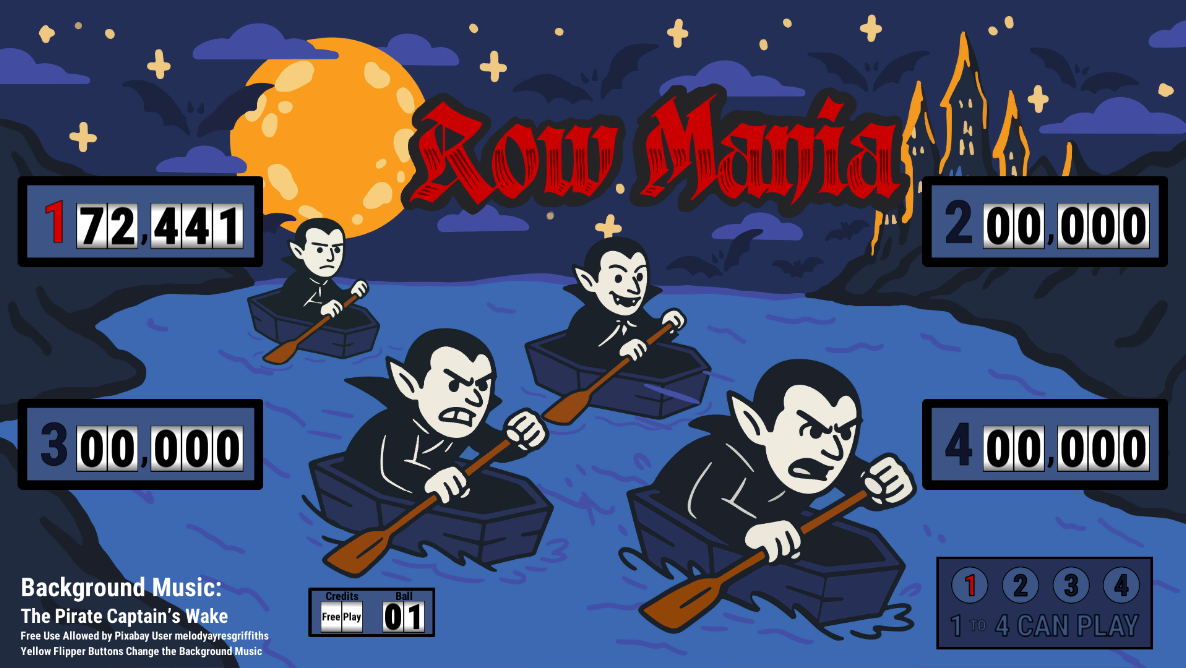
Row Mania is a software add-on game for the Drained playfield module on the Multimorphic P³ pinball platform. It’s inspired by classic electromechanical (EM) pinball machines, particularly including the 1975 Williams Electronics games Satin Doll and Pat Hand.
Because of the vampire theming of the Drained playfield, the game features vampires racing against each other in coffin-shaped boats, while sea shanties play in the background (if desired, the active song can be changed using one of the yellow flipper buttons). This theming is audiovisual only, and does not extend to the relatively simplistic, EM-style gameplay.
Basic Summary
The primary goal of Row Mania is to build up and collect your bonus. You can earn points by hitting just about anything on the playfield, but the bonus has the potential to comprise a very significant fraction of the player’s score.
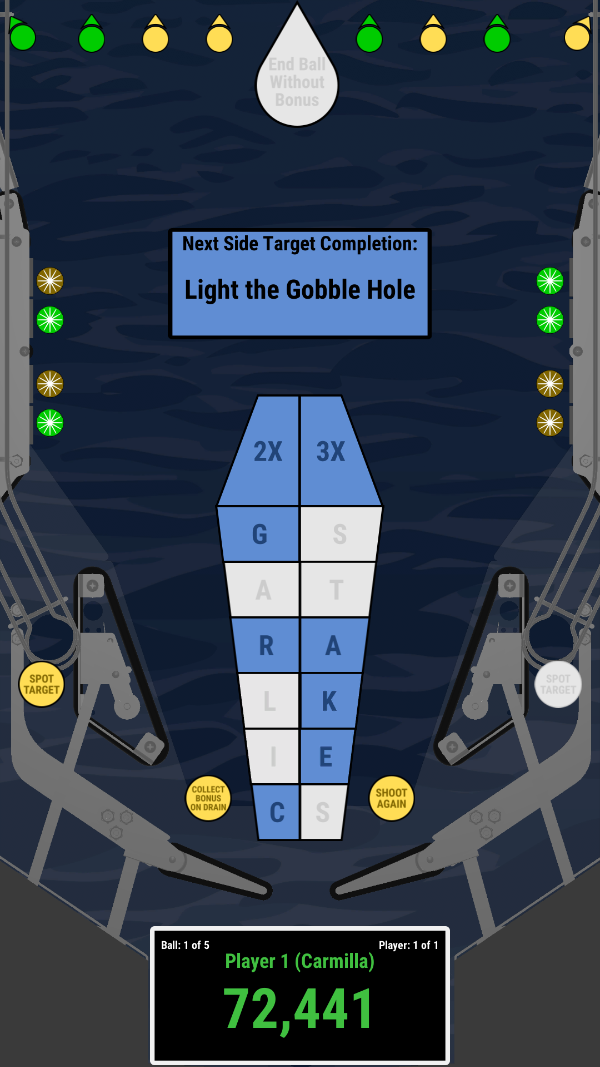
You can build up your bonus by hitting the GARLIC and STAKES standup targets: each of the targets is associated with one of the bonus inserts in the coffin-shaped array center of the playfield. The bonus multiplier can be increased to 2X or 3X by completing sets of side targets, and depending on game conditions, it may be collected upon draining or by hitting the gobble hole.
Choosing a Difficulty Level
At the beginning of the game, the player will typically have an opportunity to choose the difficulty level for the game. There are five difficulty levels, which are used to adjust combinations of three conditions:
- Whether the player may collect any bonus that they’ve accumulated by draining the ball, whether down the middle or out the outlane. Draining will always end the player’s ball.
- Whether the player may collect any bonus that they’ve accumulated by shooting the ball into the gobble hole.
- Whether shooting into the gobble hole will end the player’s ball or re-launch it into play.
Row Mania offers five difficulty levels, each of which is named after a notable vampire. Those difficulty levels are as follows, in order from most forgiving to most difficult:
- Friendly (one of the vampires in Drained) — This is the most forgiving level. Any accumulated bonus can always be collected by draining or by shooting the gobble hole, and shooting the ball into the gobble hole will always re-launch it into play. In this difficulty level, the only way to end your ball is to drain.
- Lilith (a vampire demon from Jewish tradition) — Any accumulated bonus can always be collected by draining or by shooting the gobble hole. However, shooting the gobble hole will end the ball unless it’s been lit by completing the side targets enough times.
- Carmilla (one of the earliest vampires from literature) — Any accumulated bonus can always be collected by draining the ball. However, shooting the gobble hole will end the ball without awarding the bonus unless it’s been lit, after which the ball will be returned into play.
- Orlok (the vampire from Nosferatu) — Any accumulated bonus can only be collected by shooting the gobble hole; the bonus will never be awarded by draining. Initially, shooting the gobble hole will end the ball after collecting bonus, but lighting the gobble hole will allow it to be returned into play.
- Vlad the Impaler (a Romanian ruler with a reputation for brutality) — Draining will end the ball without bonus, as will shooting into an unlit gobble hole. Bonus can only be collected by shooting the gobble hole after lighting it, but that will end the ball.
These difficulty levels are illustrated by the following image:

Completing The Side Targets
There are four side targets on each side of the playfield display, for a total of eight targets. Each of them is represented by a rollover button. Hitting each of those targets will grant an award. These awards include:
- Light 2X Bonus
- Light 3X Bonus
- Light the Gobble Hole (If applicable to the selected difficulty level)
- Extra Ball (Can be disabled in the game settings)
- 10,000 Points
The GARLIC and STAKES Standup Targets
As previously stated, each of the GARLIC and STAKES standup targets contributes to the player’s bonus. Hitting any of those targets lights the corresponding insert in the coffin-shaped bonus area for a base value of 1000 points upon collecting the bonus. As such, if all of the GARLIC and STAKES targets have been hit, then the base bonus value will be 12,000 points. This may be increased to 24,000 points by lighting the 2X bonus insert, or to 36,000 points by lighting the 3X bonus insert.
Each of the GARLIC and STAKES targets also award points each time they are hit. Initially, they will all be blinking yellow. Hitting a blinking yellow target awards 10 points and light that target green. Hitting a green target will award 100 points. If you turn all of the GARLIC and STAKES targets green, then they will be lit red, and hitting a red target will award 1000 points.
The Lower Standup Targets
At the start of each ball, the lower standup targets (including the Flaming, Silver, Slay, Vamp, Sword, and Torch targets, plus the two outer cape targets) will be blinking yellow. Hitting a blinking yellow target will award 10 points and will light the target solid green. Hitting a solid green target will award 100 points.
Further, one of these targets may potentially be lit red, and hitting a target that is lit red will award 1,000 points. A target will be eligible to be hit red if both of the following are true:
- That target has already been hit at least once so that it’s lit green.
- The corresponding MIRROR, Holy, or Water target has also been hit. The MIRROR targets correspond to the center standup targets, while the Holy and Water targets correspond to the left and right outer cape targets, respectively.
The lower standup target that is eligible to be lit red will change based on switch hits.
The MIRROR Drop Targets
At the start of each ball, each of the MIRROR drop targets will be raised and lit red. Each target hit will award 1,000 points, and it will stay down for the remainder of the ball. It will also make one of the Flaming, Silver, SLay, Vamp, Sword, and Torch targets eligible to be lit red for 1,000 points.
The Holy and Water Standup Targets
At the start of each ball, the Holy and Water standup targets will be blinking yellow. Hitting a blinking yellow target will award 10 points and will light the target solid green. Hitting a solid green target will award 100 points.
Further, hitting the Holy standup target will make the left outer cape target eligible to be lit red for 1,000 points. Similarly, hitting the Water standup target will make the right outer cape target eligible to be lit red for 1,000 points. Hitting both the Holy and Water targets will light the pop bumper.
The Pop Bumper
At the start of each ball, the pop bumper will be unlit, and it will score 10 points for each hit. Hitting both the Holy and Water targets will light the pop bumper for 100 points per hit.
The SPOT TARGET Insert
Unless it’s disabled in the game settings, the SPOT TARGET insert will be lit in one of the inlanes. Rolling through the lit inlane will cause the game to behave as if a target had been hit. The target to be spotted will be selected in the following order:
- The first GARLIC target that is blinking yellow
- The first STAKES target that is blinking yellow
- The Holy target, if it is blinking yellow
- The Water target, if it is blinking yellow
- The first blinking side target
The Background Music
While the game is active, one of several sea shanties will play as background music. The active song may be changed using the yellow flipper buttons. Background music used in the game includes:
- Bonnie Ship the Diamond — Licensed from Tim Beek
- Dead Horse — Free Use Allowed by PGN Music
- Don’t Forget Your Old Shipmate — Licensed From Tim Beek
- Dread Pirate Roberts — Free Use Allowed by Pixabay User melodyayresgriffiths
- Drop of Nelson’s Blood — Free Use Allowed by PGN Music
- Drunken Sailor — Licensed From Tim Beek
- Fish in the Sea — Free Use Allowed by PGN Music
- Haul Away Joe — Free Use Allowed by PGN Music
- Pique la Baleine — Free Use Allowed by PGN Music
- The Pirate Captain’s Wake — Free Use Allowed by Pixabay User melodyayresgriffiths
- A Pirate Piano Lullaby — Free Use Allowed by Pixabay User melodyayresgriffiths
- Queen Anne’s Revenge — Free Use Allowed by Pixabay User melodyayresgriffiths
- Randy Dandy O — Licensed From Tim Beek
- Roll the Old Chariot — Licensed From Tim Beek
- Rolling Down to Old Maui — Licensed From Tim Beek
- Spanish Ladies — Licensed From Tim Beek
- Wellerman — Free Use Allowed by PGN Music
If you achieve a high score, then the background music that plays while entering your initials will be a selection from The World’s Most Epic Sea Shanty by Alexander Nakarada, used under the terms of the Creative Commons CC BY 3.0 license.
Game Settings
The following settings are among those most likely to be adjusted:
- Settings → General → Balls Per Game — The number of balls per game. This defaults to 5, but can be set anywhere from 1 to 10.
- Settings → Mechs → Tilt → Show time since tilt — Indicates whether to display a timer on the playfield (just above the apron) after the game is tilted, which may allow a player to judge whether there has been enough time for the tilt bob to settle. The timer will automatically be removed after 60 seconds, or as soon as a ball is launched into play.
- Settings → Gameplay → General → Allow choosing difficulty level — Indicates whether players should be allowed to choose the difficulty level at the start of the game. Allowed values include “Each Player” (the default, which allows each player to choose their own difficulty level), “First Player” (which allows the first player to choose the difficulty level that will be used for all players in the game), or “No” (which doesn’t allow players to choose the difficulty level).
- Settings → Gameplay → General → Default difficulty level — The default difficulty level that will be pre-selected when starting a game. If the “Allow choosing difficulty level” setting is set to “No”, then this will be the level that will be used for the game.
- Settings → Gameplay → General → Enable extra balls — Indicates whether players will be allowed to earn extra balls with enough side target completions.
- Settings → Gameplay → General → Enable spot target — Indicates whether the SPOT TARGET insert should be lit in one of the inlanes. This is enabled by default, but it can be disabled if desired (for example, if high-level players find it too easy to use alley passes to spot targets).
- Settings → Gameplay → General → Lower standups as side targets — Indicates whether hits to lower standup targets should be counted as hits to the corresponding side targets. This is disabled by default, but may be useful if the game has trouble registering side target hits.
- Settings → Gameplay → General → Play background music — Indicates whether background music will play while the game is active. This is enabled by default, but it can be disabled for more realistic EM-style play.
- Settings → Gameplay → Debug → Show system time on playfield — Indicates whether to show the current system time on the playfield (just above the apron). If you observe unusual behavior while playing the game, it can be very helpful to know the system time to be able to identify relevant log messages.
- Settings → Gameplay → Debug → Enable switch debugging — Indicates that the game should display information on the backbox about switches that become active and inactive. This debug information will also include information about side target hits and inlane and outlane rollovers.
- Settings → Info → Logging Level — Indicates the verbosity of messages to record in the game log. If you observe unusual behavior while playing the game, it may be useful to set the logging level to “All” to have the best chance of capturing information in the log that can help diagnose the problem.
Acknowledgments
Row Mania was designed and developed by Neil Wilson, with inspiration from classic electromechanical pinball machines, especially including the 1975 Williams Electronics games Satin Doll and Pat Hand.
The primary artwork was created by Krystal Karim. Additional artwork was created by Neil Wilson or licensed from ShutterStock. The title font is Darkcastle, licensed from Måns Grebäck.
As previously noted, some of the background music has been licensed from Tim Beek, or is used under various free-use licenses. Many sound effects have been licensed from Pixabay and are used under the terms of the Pixabay Content License. Some sound effects have been created by Neil Wilson.
Special thanks to Nick Baldridge of For Amusement Only Games for creating the Drained playfield and for testing and providing feedback for Row Mania.
 KindOfABigNeil.com